Introduction
Code Insights is a free, open-source CLI that parses AI coding sessions from Claude Code, Cursor, Codex, and Copilot into a local knowledge base.
Code Insights is a free, open-source CLI tool and embedded dashboard for analyzing AI coding sessions.
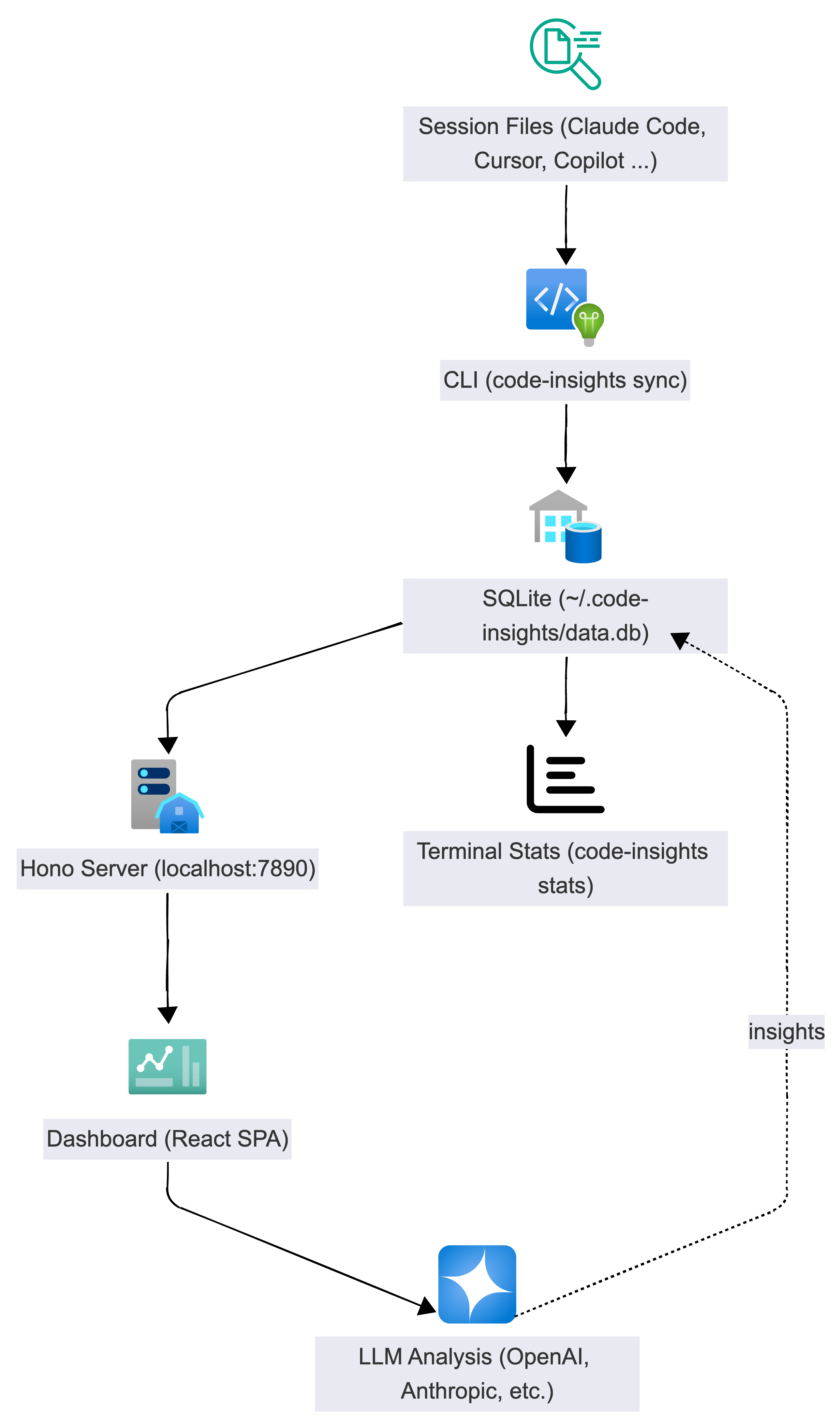
It parses session history from multiple AI coding tools — Claude Code, Cursor, Codex CLI, Copilot CLI, and VS Code Copilot Chat — stores structured data in a local SQLite database, and provides both terminal analytics and a browser-based dashboard with LLM-powered insights.
How does Code Insights work?
What can Code Insights do?
- Session browser — three-panel layout with project nav, session list, and detail view with insights, prompt quality scoring, and full conversation replay
- AI-powered insights — decisions (with reasoning and alternatives), learnings (with root cause analysis), techniques, and prompt quality analysis
- Insights page — browse all insights across sessions with Timeline, By Type, By Project, and By Session views
- Reflect & Patterns — weekly cross-session synthesis: friction breakdown (9 categories), effective patterns (8 categories), attribution model, and CLAUDE.md rule suggestions
- Analytics — activity charts, model distribution, cost breakdown, project table
- Export — quick session export to Markdown, Obsidian, or Notion, plus AI-powered synthesis across sessions into Agent Rules, Knowledge Briefs, and more
- Terminal stats —
code-insights statsfor quick metrics without opening the browser
Which AI coding tools are supported?
| Tool | Auto-detected from |
|---|---|
| Claude Code | ~/.claude/projects/**/*.jsonl |
| Cursor | Platform workspace storage (macOS/Linux/Windows) |
| Codex CLI | ~/.codex/sessions/ |
| Copilot CLI | ~/.copilot/session-state/ |
| VS Code Copilot Chat | VS Code workspaceStorage/ chat sessions |
Is my data private?
Everything runs locally. No accounts, no cloud services, no data leaves your machine. The database lives at ~/.code-insights/data.db and is plain SQLite — you can open it with any SQLite browser.
Next steps
Continue to Installation to get up and running in 60 seconds.