Your AI sessions are a knowledge base you never built
One command turns your Claude Code, Cursor, and Copilot sessions into searchable insights — decisions, learnings, prompt quality scores, and cross-session patterns. All local, nothing leaves your machine.
Discover your AI coding style
Your decisions, patterns, and prompt quality roll up into an AI Fluency Score — a shareable snapshot of how you work with AI tools. Download it, share it, track it over time.
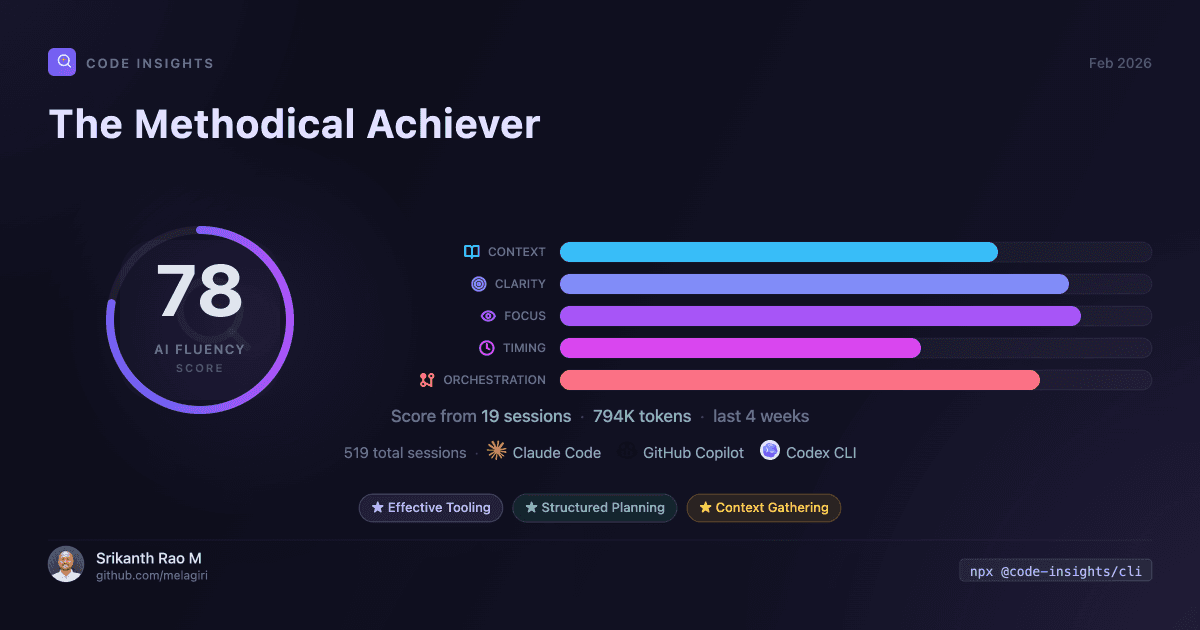
1200×630 PNG — optimized for sharing on social media, Slack, and GitHub discussions.
What Code Insights finds in your sessions
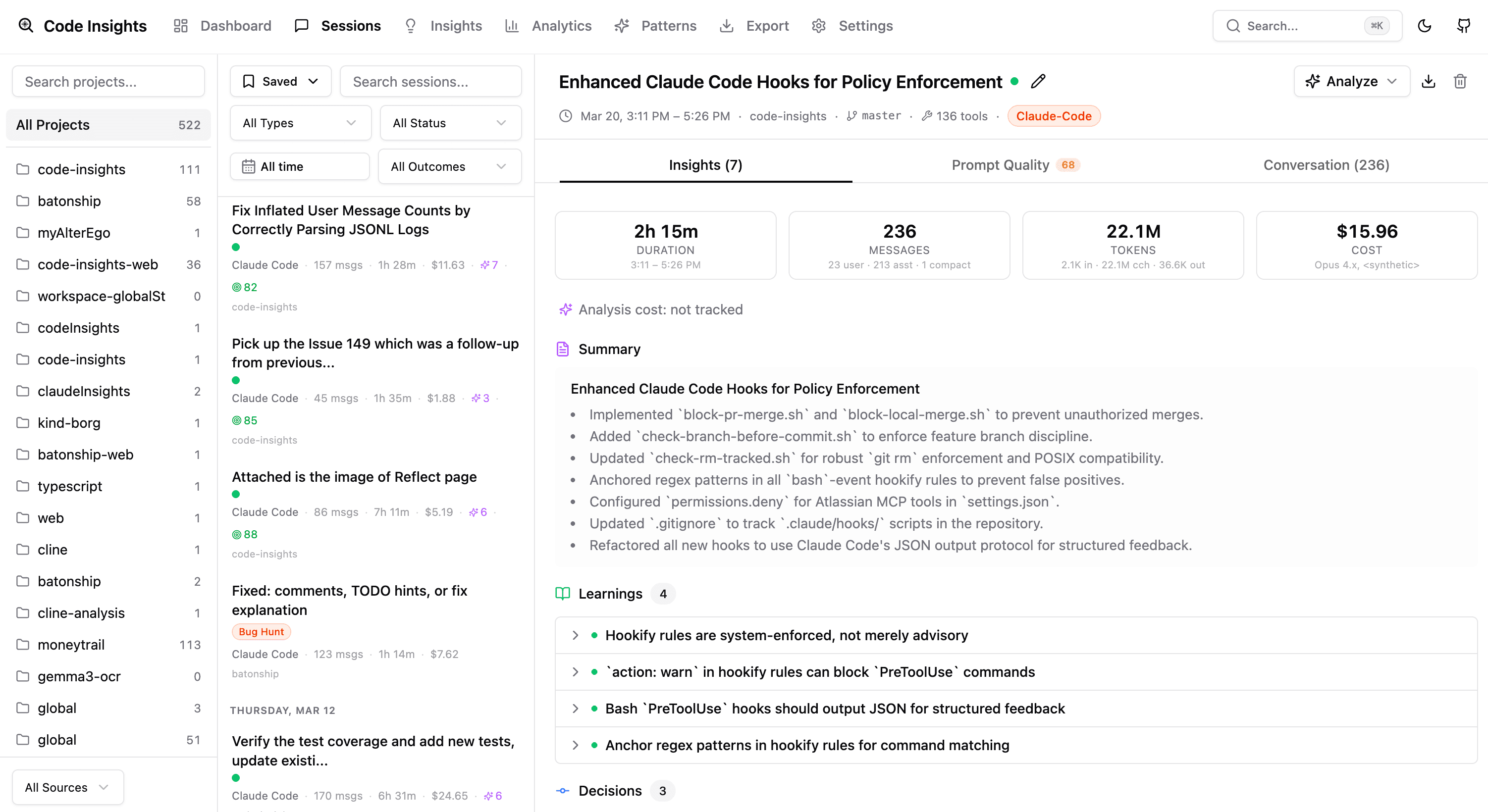
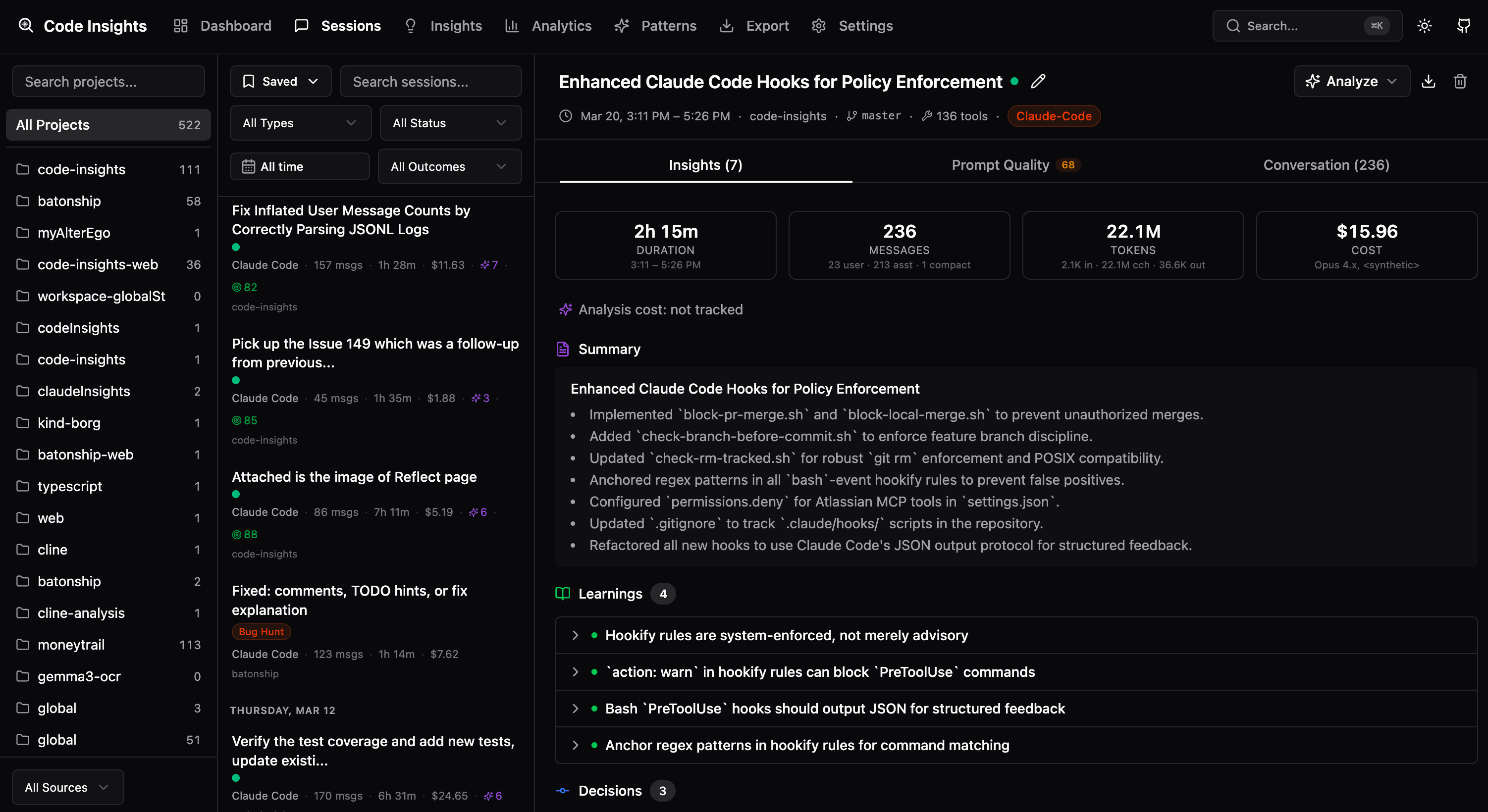
Every session is analyzed into structured, searchable knowledge — not just chat logs.
API key format constraint was mentioned on turn 14. Include format requirements upfront to avoid rework.
File paths were omitted from the initial request, requiring multiple follow-up clarifications.
Implementation scope was well-bounded — clear separation between research and implementation phases.
Your AI sessions deserve better
Every day, developers run dozens of AI-assisted sessions. The insights from those conversations disappear the moment you close the terminal.
- Sessions vanish after closing the terminal
- No idea which prompts waste time vs. save time
- Decisions and learnings lost across projects
- Zero visibility into token usage and costs
- Every session captured, searchable, and analyzed
- Prompt coaching with dimension scores and deficit/strength findings
- AI-extracted insights: decisions, techniques, learnings
- Full usage analytics with cost breakdowns
Up and running in 30 seconds
One command. No accounts. No configuration.
Install the CLI
One npm command. No accounts, no configuration files, no cloud services.
See your data
Run code-insights — it syncs all your sessions and opens the dashboard automatically. Zero configuration.
Unlock AI insights
Configure an LLM provider to extract decisions, learnings, and patterns from your sessions.
Three pillars, one tool
Knowledge extraction. Prompt improvement. Usage analytics.
Knowledge Base
Decisions, learnings, and techniques extracted from every session. AI-powered synthesis compiles knowledge across sessions — deduplicated, prioritized, and formatted for your workflow.
- ▸Decisions with reasoning and rejected alternatives
- ▸Learnings with root cause analysis
- ▸Techniques and reusable patterns
- ▸AI-powered export to Agent Rules, Knowledge Brief, Obsidian, or Notion
Prompt Coaching
Five-dimension scoring across context provision, specificity, scope management, information timing, and correction quality. Deficit and strength findings with before/after takeaways.
- ▸5 dimension scores (0–100) per session
- ▸Deficit findings: vague requests, late constraints, missing context
- ▸Strength findings: precise requests, effective context
Analytics & Costs
Token counts, model distribution, cost breakdowns, and activity charts. Terminal stats or browser dashboard — your choice.
- ▸Cost breakdown by project and model
- ▸Activity charts and usage trends
- ▸CLI stats + embedded dashboard
Your sessions have patterns.
Reflect finds them.
Every session is analyzed for friction points, effective patterns, and prompt quality. Weekly synthesis turns raw data into rules, skills, and growth signals.
Analyze
Each session is scanned for 9 friction categories and 8 effective pattern types. Attribution tells you whether friction was user-actionable, an AI limitation, or environmental.
Synthesize
Weekly snapshots surface your recurring patterns, top friction points, and a working style profile. Navigate week-by-week to see how your habits evolve.
Generate
Export your top patterns as CLAUDE.md rules or .cursorrules — derived from your actual sessions, not generic templates.
“Methodical builder who verifies before shipping”
— Your working style, derived from your sessions
Learn more →Works with your tools
One CLI parses sessions from all five tools. No per-tool configuration. Just sync.
Sessions are auto-discovered from each tool's standard session location. No setup required.
Runs entirely on your machine
Your coding sessions are sensitive — they contain your code, decisions, and workflow patterns. Code Insights never sends your data anywhere.
Local SQLite
Everything stored at ~/.code-insights/data.db on your machine. Open it with any SQLite browser.
No Accounts
No sign-ups, no OAuth, no cloud services required. Just install and run.
Fully Open Source
MIT licensed. CLI, dashboard, and server in one repo. Audit every line before you run it.
Easy Deletion
Run `rm -rf ~/.code-insights` and it's all gone. No data retention, no recovery.
Start building knowledge from your sessions
Free to use. No accounts required. CLI, dashboard, and server in one repo.